
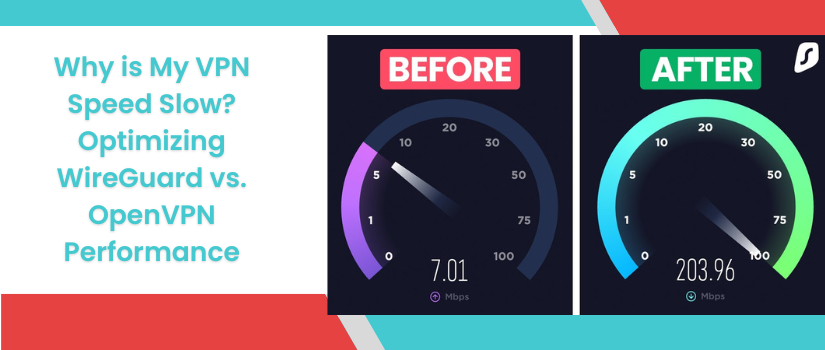
Why is My VPN Speed Slow? Optimizing WireGuard vs. OpenVPN Performance
A slow VPN can be frustrating, especially when you expect secure browsing but don’t want to sacrifice speed. If your connection drops suddenly after enabling a VPN then the issue lies in the protocol server distance or device limitations. You have to resolve the problem to restore your network speed. Two of the most popular VPN protocols are WireGuard and OpenVPN. You have to understand them properly to know how they differ and can help you optimize your device performance and fix the slow network speed problem. By scrolling down and reading the next segment of this article you will be able to understand this concept very clearly.
WireGuard Vs OpenVPN
Both WireGuard and OpenVPN have their strengths. WireGuard excels in speed and simplicity, while OpenVPN offers flexibility and proven reliability. Here are the key differences between WireGuard Vs OpenVPN:
Speed and Efficiency
WireGuard is known for its lightweight design and fast speed. It uses modern cryptography and a smaller code base. It is an ideal option for streaming gaming and general browsing. On the contrary OpenVPN is older and more complex. It provides security but can be slower due to its heavy encryption and large coding structure.
Connection Stability
WireGuard establishes connections quickly and maintains stable performance even on mobile data whereas OpenVPN may take longer to connect and can struggle with network switching.
Security and Compatibility
WireGuard is now widely adopted but may still have limited support on some older devices or routers whereas OpenVPN is widely supported across devices and platforms. It is highly configurable and trusted for professional use.
How To Improve VPN Speed
Desire to improve your VPN speed? If so then here are the steps which help you to improve the VPN speed. You just have to follow these steps:
- You should prefer wireGuard if speed is your priority. It often delivers significantly better performance than open VPN.
- Always select a server closer to your physical location. Shorter distances reduce latency and improve speed.
- VPN servers can become crowded during peak hours, switching to a less busy server can improve your performance.
- WiFi interference can reduce speed, connect your device directly to the router using ethernet cable for a more stable connection.
- Required then you need to upgrade your device for better performance. A modern router with better processing power can handle VPN traffic more efficiently than the order devices.
- You should run a speed test without the VPN to check your Bass internet speed. If the normal speed of the internet is slow then the VPN will only make it worse. You should fix your face connection first and then VPN.
Connect Us
The above given information is very clear and helpful if you’re able to understand it. But in case you are facing any trouble then our technical team is here to assist you. You just need to communicate with us on the below specified numbers and we will help you. Instead of calling on our numbers you can also text us in the live chat section.